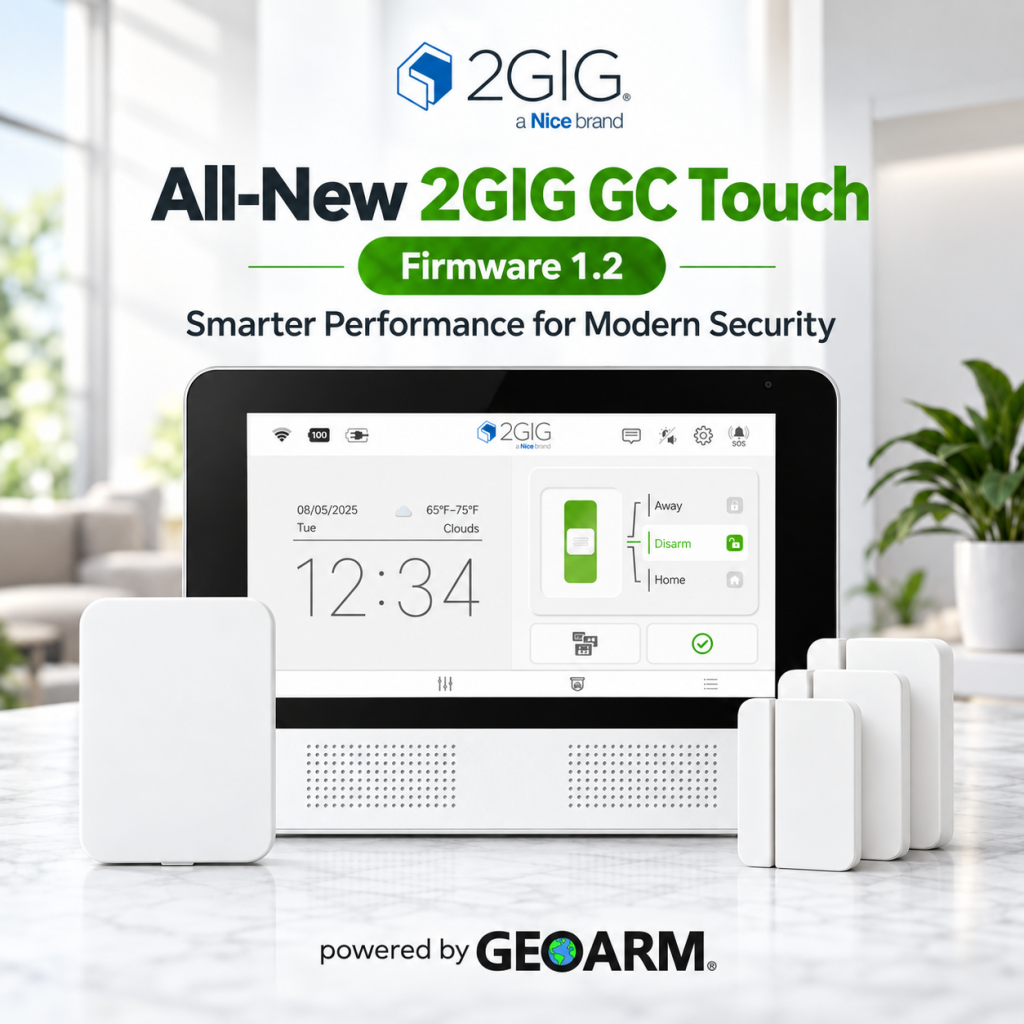
What’s New in 2GIG GC Touch Security System Firmware 1.2 Update?
The latest 2GIG GC Touch Firmware 1.2 update introduces new features and usability improvements designed to make everyday interaction with your 2GIG GC Touch wireless security system smoother and more intuitive than ever.
Whether you’re an installer looking for a more streamlined setup experience or a homeowner who wants easier day-to-day control, Firmware 1.2 brings meaningful enhancements to the GC Touch platform.
With improved functionality, refined system interaction, and a better overall user experience, this release helps make the 2GIG GC Touch even more capable and convenient.
Stay up to date at GeoArm and get the most out of your 2GIG GC Touch security system with Firmware 1.2.
Designed to deliver dependable fire monitoring and real-time fire alerts, the ADC-FC100 lets businesses manage critical fire protection alongside the other security and property systems they already monitor through the Alarm.com platform.
And there’s more, the ADC-FC100 has been nominated for a SecurityInfoWatch Readers’ Choice Top Product Award, recognizing its innovative approach to modern fire alarm communications.
Reliable Fire Monitoring
Real-Time Fire Alerts
Alarm.com Platform Integration
Built for Commercial Fire Applications
SecurityInfoWatch Reader’s Choice Top Product Award Nominee
Protect what matters with smarter, connected fire monitoring from Alarm.com powered by GeoArm.com.
GeoArm Security introduces the all-new Alarm.com Prism Series™ Cameras.
The new Alarm.com Prism Series™ security cameras have arrived on GeoArm.com, delivering professional-grade imaging without compromise and seamless integration with the Alarm.com for Business platform.
ADC-VC7398PA — Prism Series™ 8MP Varifocal Bullet PoE Camera ADC-VC8498PA — Prism Series™ 8MP Varifocal Dome PoE Camera ADC-VC8498P — Prism Series™ 8MP Fixed Dome PoE Camera ADC-VC8295P — Prism Series™ 5MP Fixed Dome PoE Camera
Built for commercial security applications, Prism cameras help simplify installation and deployment with flexible mounting options and plug-and-play setup.
With features including up to 8MP resolution, VividNight™ color imaging in low-light conditions, and proactive deterrence capabilities, Prism cameras deliver the clarity, reliability, and protection businesses expect.
Upgrade your commercial video surveillance solution with the next generation of Alarm.com cameras powered by GeoArm Security.
GeoArm Partners with Chargebee to Deliver a Best-in-Class Billing Experience!
GeoArm Security, a leading provider of DIY smart home and alarm monitoring solutions, is proud to announce its new partnership with Chargebee, a global leader in subscription management and recurring billing platforms. This strategic collaboration brings enhanced billing flexibility, automation, and account management capabilities to GeoArm’s new and existing customers nationwide.
Through the integration with Chargebee, GeoArm subscribers will benefit from a seamless and modern billing experience designed to simplify account management while improving reliability and payment flexibility. Both new and existing customers can now enjoy advanced subscription tools, streamlined invoicing, multiple payment options, and improved self-service account access.
“At GeoArm, we’re always looking for ways to improve the customer experience,” said Blake Rosenthal, Founder of GeoArm Security. “Partnering with Chargebee allows us to combine industry-leading alarm monitoring services with one of the most advanced billing platforms available today. Customers now truly get the best of both worlds — a trusted alarm company paired with best-in-class billing technology.”
The partnership reinforces GeoArm’s commitment to innovation and customer convenience by providing a scalable billing infrastructure capable of supporting the company’s growing subscriber base. Customers can expect a smoother onboarding process, enhanced subscription transparency, and greater flexibility in managing their security services. “Our Chargebee billing integration reflects GeoArm’s commitment to listening to customers and eliminating unnecessary complexity. We’ve streamlined the entire journey from signup to activation, creating a seamless billing experience that supports both convenience and reliability,” said Drew Davis, Operations Manager at GeoArm.
Chargebee’s powerful recurring billing platform is trusted by subscription-based businesses worldwide and offers enterprise-grade reliability, automation, and payment optimization tools. By leveraging this technology, GeoArm continues to modernize the way customers interact with their security monitoring services.
The new billing platform rollout is now underway and will be available to both new and current GeoArm subscribers.
About GeoArm Security
GeoArm Security is a nationwide provider of DIY home security systems, smart home automation, and professional alarm monitoring services. Known for flexible no-contract monitoring options and industry-leading smart security solutions, GeoArm helps customers protect what matters most with affordable and innovative technology.
About Chargebee
Chargebee is a subscription management and recurring billing platform that helps businesses automate revenue operations, manage subscriptions, optimize payments, and scale efficiently across global markets.
As IQ Security Products enters this new chapter, GeoArm stands out as a leader in bringing these solutions directly to customers.
Qolsys, a well-known innovator in the smart security industry, has officially rebranded as IQ Security Products, marking a new chapter while continuing its legacy of advanced, user-friendly security solutions. Founded in 2010 and later acquired by Johnson Controls, Qolsys built its reputation on delivering cutting-edge, all-in-one alarm systems that seamlessly integrate security, life safety, and smart home automation. The rebrand to IQ Security Products aligns the company more closely with its highly successful “IQ” product line, simplifying its identity and reinforcing the strong recognition already established by products like the IQ Panel series. While the name has changed, the technology, ecosystem, and commitment to innovation remain the same.
IQ Security Products offers a complete, modern security ecosystem designed for both residential and commercial applications. At the center of this lineup are the IQ Panels, including the widely adopted IQ Panel 4 and the next-generation IQ Panel 5, which feature powerful processing, intuitive touchscreen interfaces, LTE connectivity, and support for PowerG wireless technology. These systems serve as the central hub for a wide range of devices, including long-range PowerG wireless sensors for doors, windows, motion detection, and glass break monitoring. In addition to intrusion detection, IQ Security Products provides a full suite of life safety devices such as smoke, heat, carbon monoxide, and flood sensors, ensuring comprehensive protection. The platform also supports smart home automation through Z-Wave devices like smart locks, lights, and thermostats, along with seamless integration with Alarm.com for remote access, mobile control, and video surveillance.
As IQ Security Products enters this new era, GeoArm is leading the way by offering the full line of newly branded IQ security systems along with professional monitoring services. GeoArm is proud to be the first company to fully adopt and make available the complete IQ Security Products lineup, giving customers immediate access to the latest advancements in smart security technology. By combining top-tier hardware with flexible, contract-free monitoring solutions, GeoArm provides homeowners and businesses with a powerful, modern approach to security. This rebrand represents more than just a name change, it highlights the continued evolution of intelligent security systems, and with GeoArm at the forefront, customers can confidently take advantage of everything IQ Security Products has to offer.
Meet the all-new 2GIG GC Touch Wireless Security, Smart Automation and Video Surveillance System.
GeoArm Security, a leader in DIY home and business security solutions, introduces the all-new 2GIG GC Touch Wireless 7” Touchscreen Security System, a modern, feature-rich platform designed to deliver advanced protection and seamless smart home control. Built on 2GIG’s proven foundation of reliability, the GC Touch eSeries encrypted wireless security system combines cutting-edge technology with a sleek, user-friendly design. At the center of the system is a vibrant 7-inch capacitive touchscreen that offers intuitive navigation, enhanced responsiveness, and a refined interface inspired by the popular EDGE platform—including dark mode support for a more modern user experience.
Available in two models — the 2GIG-TOUCH-NA-AA for the AT&T 4G LTE network and the 2GIG-TOUCH-NA-VA for the Verizon 4G LTE network—the GC Touch features a built-in Alarm.com dual-path Wi-Fi and cellular communicator. This ensures reliable, always-on connectivity by prioritizing Wi-Fi communication while automatically switching to secure LTE cellular if needed. Powered by the award-winning Alarm.com platform, users can control their system remotely, receive real-time alerts, and manage automation from anywhere using the Alarm.com Interactive App.
Designed for both flexibility and performance, the GC Touch includes an integrated 800-series Z-Wave® module for smart home automation, allowing users to control lights, locks, thermostats, and garage doors with ease. Features like Bluetooth disarming add everyday convenience, while Alarm.com Scenes enable automation of multiple devices with a single tap or voice command. The system is also fully compatible with all 2GIG 345 MHz, eSeries, and E+ extended range series encrypted sensors, making it an ideal choice for both new installations and system upgrades. With support for GeoArm’s 24/7 professional monitoring or DIY self-monitoring, the GC Touch delivers a complete, customizable security experience for residential and commercial applications alike.
View live camera footage on the 2GIG GC Touch control panel.
Key Features:
7-Inch Capacitive Touchscreen Display Large, vibrant interface with intuitive icons and smooth navigation
Supports Up to 128 Zones and 64 Users Scalable protection for homes, businesses, and multi-zone installations
Built-In Alarm.com LTE Communicator (AT&T or Verizon) Secure dual-path connectivity for reliable monitoring and remote access
Alarm.com Interactive Monitoring App Real-time alerts, remote control, and full system management from anywhere
800-Series Z-Wave® Smart Home Integration Control lights, locks, thermostats, and garage doors seamlessly
Bluetooth Disarming Function Automatically disarm the system when paired devices are nearby
Dark Mode Interface Option Modern visual design optimized for low-light environments
Backward Compatibility with 2GIG Sensors Works with all 2GIG 345 MHz and eSeries encrypted sensors
Installer-Friendly Design Simplified setup, fast pairing, and streamlined programming
Customizable Alarm.com Scenes Automate multiple devices with one tap or scheduled routines
Dual-Path Communication Wi-Fi primary with automatic LTE cellular backup for redundancy
Professional & DIY Monitoring Options Choose GeoArm 24/7 central station monitoring or self-monitoring via Alarm.com only
Flexible Applications Ideal for residential, small business, and multi-tenant environments
GeoArm Security has released the IQ5 Family: a powerful lineup of smart security system control panels designed to transform how homes and businesses stay protected. Featuring the IQ Panel 5, IQ5 Hub, and IQ5 NS, this all-new platform delivers unmatched performance, deeper smart home integration, and future-ready connectivity.
The IQ Panel 5 family represents the next generation of smart security panels from IQ (formerly Qolsys), built on a powerful Qualcomm DragonWing™ quad-core processor running Android 14 for fast performance, smooth operation, and a long lifecycle of updates and new features.
All three models — IQ Panel 5, IQ5 Hub, and IQ5 NS — include built-in PowerG+ wireless technology for long-range, encrypted communication with security and automation devices, dual-path LTE and dual-band Wi-Fi connectivity for reliable communications, Z-Wave 800 Series with Long Range for smart home device integration, and Bluetooth 5.0 + LE for touchless disarming and device support. The flagship IQ Panel 5 adds a 7″ capacitive touchscreen, an integrated 13 MP PortraitView camera, dual microphones, dual 4 W speakers with an 85 dB siren, onboard glass-break detection, and full video integration capabilities, making it suitable as a central home control interface. The IQ5 Hub delivers much of the same powerful hardware and modern interface at a more accessible price point, with a touchscreen and core functionality but without the additional onboard sensors. The IQ5 NS eliminates the touchscreen entirely in favor of a screenless installation for hidden or utility-mounted deployments, relying on app control (powered by Alarm.com) while retaining the same secure communications, processor performance, and expandability as its siblings. Optional RF daughter cards allow support for legacy sensor frequencies, simplifying takeovers of existing security systems.
Three panels. Endless possibilities.
What Makes the IQ5 Family Next-Level?
✔️ Powered by Qualcomm DragonWing™ — lightning-fast processing and future-proof performance.
✔️ Built-in PowerG+ Wireless Security — secure, encrypted long-range communication with sensors.
✔️ Modular Design — choose optional daughter cards to support legacy frequencies without unnecessary hardware.
✔️ Dual-Path LTE + Wi-Fi — keep connected and monitored no matter what.
✔️ Bluetooth 5.0 + LE Touchless Disarming — smooth, modern system access.
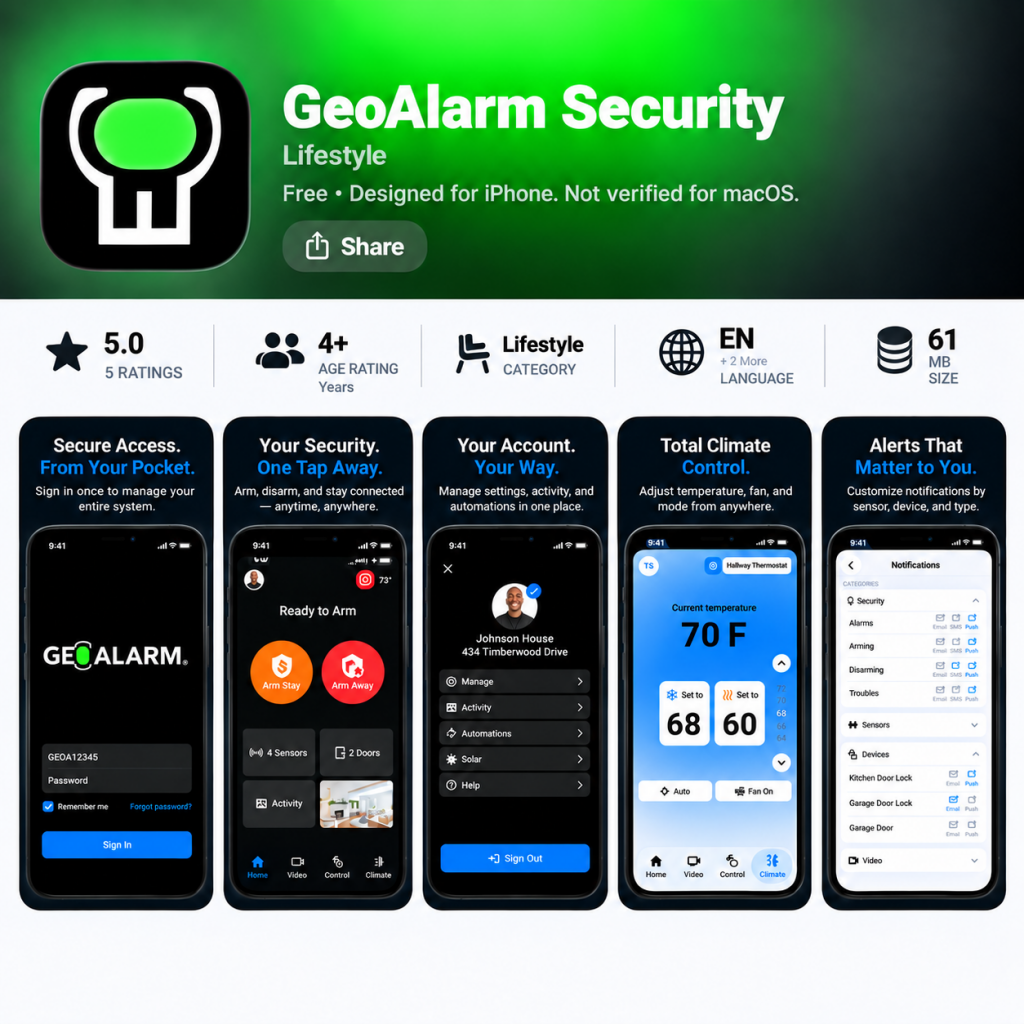
New GeoAlarm Application Version 7.10.0 has been released for iOS and Android devices!
New Features:
New automations to support doorbell press, motion detection, and schedule. A new UI and flow will also come with this release of automations.
Users will receive an in app prompt when an update for the app is available.
Improvements:
New Z-Wave add/remove flow from iOS to match with Android.
Updated ‘Stay Signed In’ options to allow for one month before the GeoAlarm application logs you out.
Update the ‘Siren’ icon to match the GeoAlarm panel.
Updated the ‘Device Health’ section for cameras/doorbells to include the ‘WiFi Link Quality’ and the ‘WiFi Signal Level’.
Enhanced the Arm/Disarm snapshot seen in the Activity section so it can be clicked on and expanded.
Live view home control will not allow you to arm stay/away if there is a system trouble.
Updated support for the GeoTSLR translator and takeover module. They are now using the correct icons, and the translator is able to be ‘Bypassed’.
Updated the UI for the video settings section in Android to match iOS.
The microphone on the wired doorbell now opens/closes correction without erroring or leaving the line open.
Added a ‘Wake Up’ feature to GeoCam camera settings. This wakes the camera up when settings are entered for battery powered devices to ensure that settings save properly.
OS Specific Fixes:
ioS
Forget password now gracefully handles users that have an email address to multiple accounts.
Fixed a bug that would cause the login page to lag after switching to a linked account and logging out.
Added a ‘Cancel’ button to the Disarm screen on the ‘Security’ page.
The temperature indicator on the Security page is now only clickable if you click directly on it.
Increased the size of the multi-select ellipses for video events and filters.
Added a ‘Maximize’ button to the portrait view of live video.
Updated the camera SDK so it updates the battery percentage after the camera is completely drained.
Door locks can be properly controlled on the live view home control page without receiving an ‘Oops’ error.
Garage door commands are now working properly in live view home control. This section was not in sync with the actual status of the garage door before.
Android
Restricted user type ‘User’ from being able to access video settings.
Fixed a bug that was causing GeoAlarm doorbells/camera to not playback audio from the device.
New Automations Functionality
Each camera is allowed one motion detection automation. If you want to edit the condition, you just click on the created automation and it will drill into it. There is a delete button once you drill into it if you prefer to start over instead of editing the automation.
Doorbells are allowed one motion detection and one doorbell press automation each. The functionality for doorbell press is the same as motion detection mentioned above.
The new schedule functionality is listed as “Days of the week at set time” in automation. This automation is pretty straightforward, you set a time and days of the week. After those are set, you pick your action and save when you are complete. You can set up multiple automations for this rule.
New Feature Alert: Alarm.com Alarm Recap is Coming Soon!
It is being reported that GeoArm Security customers, powered by Alarm.com, will soon be able to view a clear, at-a-glance summary of what happened before, during, and after an alarm, right from the Home dashboard or Activity timeline.
We’re excited to announce Alarm Recap, a new app feature that provides customers with a helpful at-a-glance summary when an alarm takes place at their home or business.
Viewable from the Home dashboard shortly after the alarm, or by tapping the Alarm event in the Activity timeline, Alarm Recap helps customers quickly understand what happened leading up to, during, and after a recent alarm.
Simple to use, just Tap “Activity” and view the all-new Alarm Recap feature in action.
With Alarm Recap, GeoArm customers can:
Get a condensed snapshot of key information like what triggered the alarm and who disarmed the system
See relevant video clips, system activity, and monitoring station events in one place
Better understand how they can minimize false alarms and feel more prepared for future alarms
This feature will be rolled out to customers in the app over the next few weeks. They must have the mobile app version 5.9.7+ for iOS or 5.7.6+ for Android.
Stay informed. Stay in control at the diysecurityblog.com.
Older AlarmNet Total Connet Security Cameras are going end-of-life on July 31, 2025.
AlarmNet is reporting that their older Honeywell security cameras like the iPCAM-WI, PT, WO and more will stop working soon, with TC2 & AlarmNet going end-of-life. AlarmNet recommends that GeoArm Security customers upgrade to First Alert® VX Series now to avoid service loss.
AlarmNet is reaching out to inform everyone that their first-generation Total Connect® cameras and video accessories will soon reach their formal End of Life (EOL) and will cease to operate in Total Connect 2.0 and AlarmNet® after July 31, 2025.
These products were sold in the 2016-2019 timeframe, by GeoArm Security. View the impacted models listed below.
iPCAM-WI
iPCAM-WL
iPCAM- PT
AP/WAP-PLUS/WREX
iPCAM-WI2
iPCAM-WO
iPCAM-PT2A
ACU
AlarmNet highly recommend considering the new First Alert® VX Series cameras as replacements.
Transitioning to our First Alert VX Series Cameras
Customers will appreciate the enhanced features and performance of our award-winning First Alert VX Series cameras, offering an upgrade in technology. The VX cameras provide improved image resolution and quality, Artificial Intelligence (AI) event detection, 2-way audio, and improved app experiences.
A small number of the active devices are indoor pan-tilt (PT) devices, analog converter units (ACU), or access point (AP) units for which there is no direct replacement. AlarmNet suggests users replace the pan-tilt cameras with one or more of the VX5 Indoor Cameras. ACU’s and the cameras to which they are connected should be replaced with new VX Series cameras as appropriate.
Legacy Model
Legacy Device Type
Suggested Replacement
iPCAM-WI
Indoor camera
VX5 Indoor Camera
iPCAM-WI2
Indoor camera
VX5 Indoor Camera
iPCAM-WL
Low light indoor camera
VX5 Indoor Camera
iPCAM-WO
Outdoor camera
VX3 Outdoor Camera
iPCAM-PT
Indoor pan tilt camera
VX5 Indoor Camera
iPCAM-PT2/PT2A
Indoor pan tilt camera
VX5 Indoor Camera
AP/WAP/WAP-PLUS/WREX
Access points, extenders, etc.
–
ACU
Analog converter unit
Replace ACU and cameras with VX1, VX3, or VX5 devices
For more information about First Alert VX cameras, click here.